

Product Update: 5 new features in Sliyd
Explore the latest Sliyd upgrade that brings more control, clarity, and ways to earn inside your wallet.
TL;DR
This update gives you more control, more clarity, and more ways to earn.
You’ll find five major improvements:
- A new marketplace for digital collectibles
- Advanced transaction options for power users
- UI and copy refinements for a smoother experience
- Watch, Learn and Earn, an easy way to get rewarded while learning
- In-app explainers that make every term easy to understand
Five New Features to Elevate Your Sliyd Experience
Designed for both newcomers and power users, this release puts simplicity and control right where you need them.
Explore the New Sliyd Marketplace for Digital Collectibles
You can now browse, discover, and buy digital collectibles directly inside your Sliyd wallet.
Just tap the Marketplace link at the bottom of your wallet page, explore collections, pick what you like, and hit Buy Now.
Sliyd’s marketplace brings digital collecting to everyone, simplifying what used to be a complicated process into a single click.
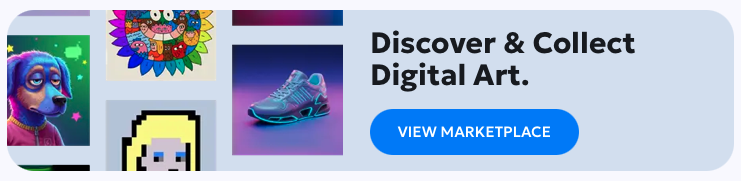
(img.1: dashboard button for marketplace access)
Customizing Transactions with Advanced Gas Control in Sliyd
You can now find Advanced Transaction Options under both “Send” and “Create Link.”
These settings allow advanced users to enter a custom gas amount for full control over their transactions.
Why it matters:
- Adjust Gas to take advantage of off-peak network periods with lower fees
- Speed up transfers during peak hours
If you prefer to keep things simple, the default settings still deliver the same smooth, reliable experience that balances fees and speed. These options are simply there for those who want advanced control.
Interface and Copy Improvements for a Smoother Experience
We’ve made a few light design tweaks, cleaned up some wording to make things flow better and optimized visibility across devices.These small tweaks make it easier to navigate Sliyd, whether on desktop or mobile and ensure every message feels clear, consistent, and in tune with the Sliyd vision to create a simple, smooth user experience.
Watch, Learn & Earn While Learning About Sliyd
We launched ‘Watch, Learn & Earn’, a new way to earn rewards.
Watch short videos, answer quick questions, and instantly redeem your reward.
To access it, look for the “EARN” tab inside the wallet page. After each video you earn BaseETH for completing all questions correctly.

(img.2: EARN tab that gives access to WLE series)
New Info Explainers Inside Sliyd
We’ve made learning even easier with small blue info icons next to key terms throughout the wallet.Tap one, and you’ll be taken to an external educational source that explains that concept in detail, helping you better understand the terminology as you use Sliyd.

(img.3: example of Blue info icon user can find inside Sliyd)
These explainers are available across multiple sections of Sliyd, helping you understand more complicated terms instantly without breaking your flow.
What’s Next for Sliyd
We built these updates for you, to make exploring the digital world simpler, safer and more rewarding.
Behind the scenes, we’re already shaping new ideas and features designed to take Sliyd even further, ways to make every interaction feel more intuitive, every reward more meaningful, and every click more connected.
Step by step, we’re building a world where being on-chain feels as effortless
Ready to start?
Create your wallet and start exploring these new features right inside Sliyd, from learning and earning to collecting your first digital asset.
FAQs
What is the new Sliyd Marketplace?
The Sliyd Marketplace lets you discover and collect digital assets directly inside your wallet. It’s simple, secure, and only takes one click to collect.
How can I access Watch, Learn & Earn (WLE)?
You can find Watch, Learn & Earn under the EARN tab in your Sliyd wallet.
Watch short videos, answer quick questions, and earn rewards instantly, all without leaving your wallet.
What are advanced gas options in Sliyd?
Advanced gas options give experienced users more control over their transactions.
You can manually adjust gas to reduce fees or speed up transfers, while the default settings remain optimised for everyday use.
What are the blue info icons in Sliyd?
Blue info icons appear next to key terms across the wallet.
Tapping one takes you to a short, easy-to-understand explanation on an external page, helping you learn as you go without breaking your flow.
